App release

Strix 1.10

The biggest update yet to the Strix app: a new Home, a Progress screen, plans you do anytime, and a lot more in chat. Update from the App Store or Google Play to get it.

For
iPhone and Android
Health & Devices
In beta
Dumby
Optional

What you open every day.

A new Home.

Home has a bolder new design, and everyone gets it. If you’ve already finished today’s workout, it shows first, with any PRs you hit.

  • Today’s habits, checked off right there
  • A quick look at your sleep, steps and week
  • “Answer with Dumby” when a check-in is waiting
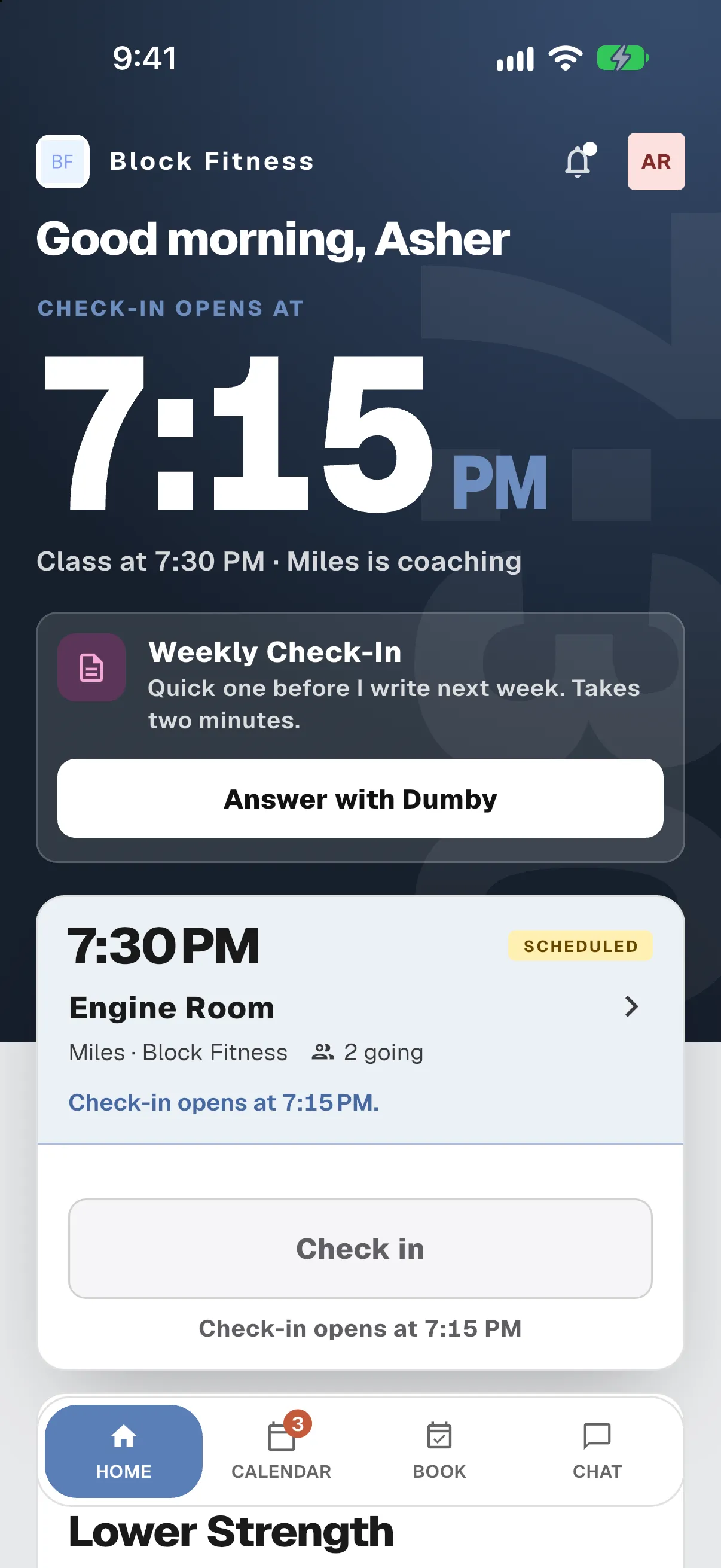
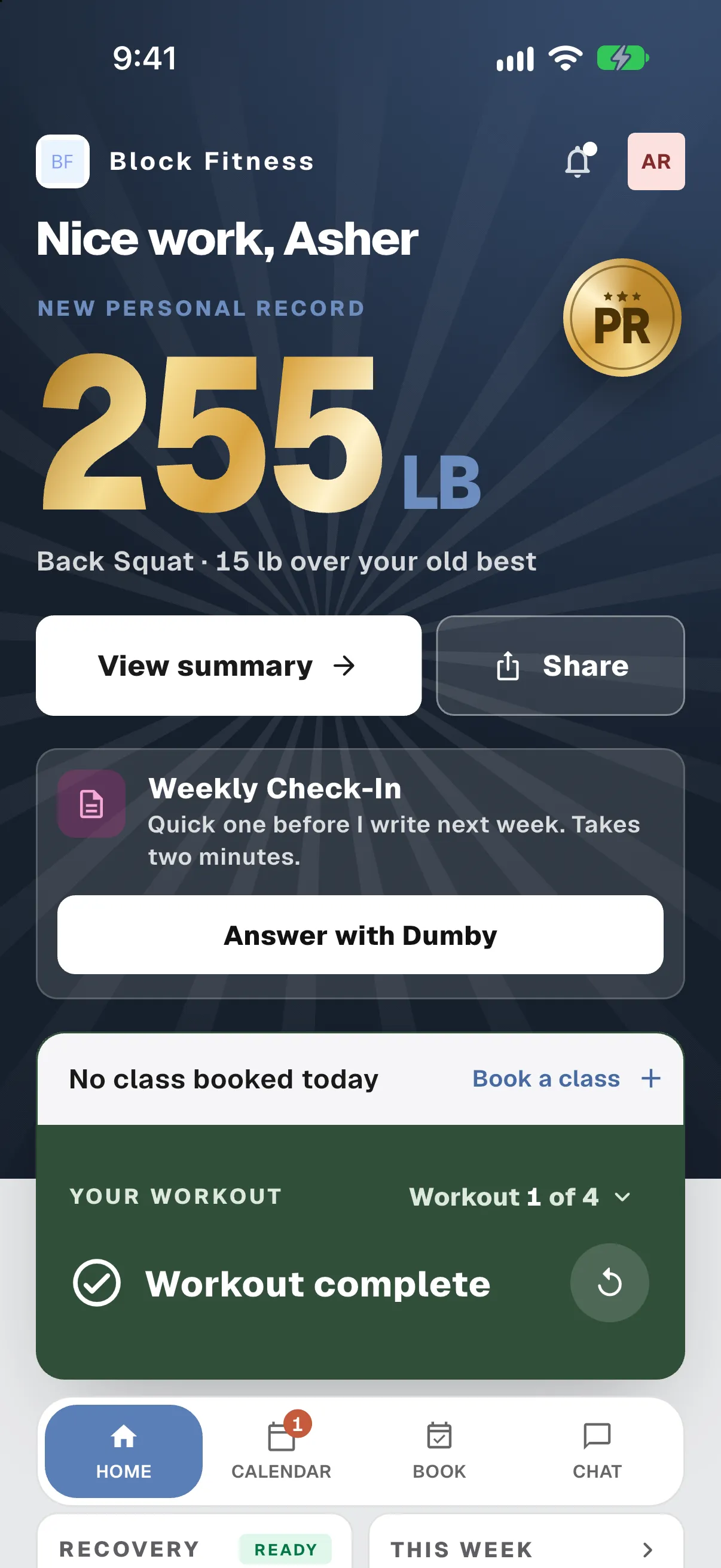
Home before training: tonight’s class, the weekly check-in with an Answer with Dumby button, and the class card.Home after training: Nice work, Asher, with a new personal record of 255 lb on the back squat.

Progress, in one place.

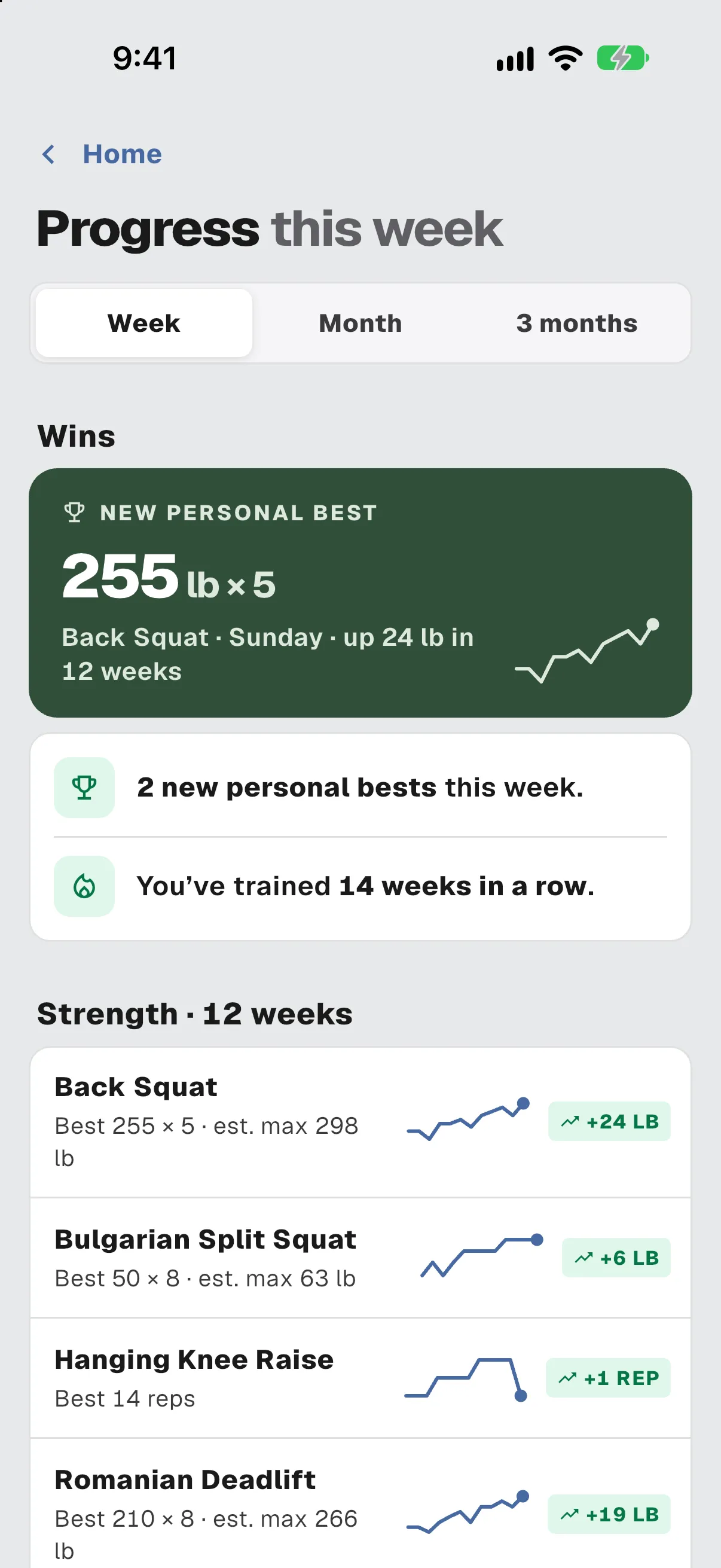
A new Progress screen, opened from Home, shows your wins, how your lifts are trending, your training volume, and your recovery.

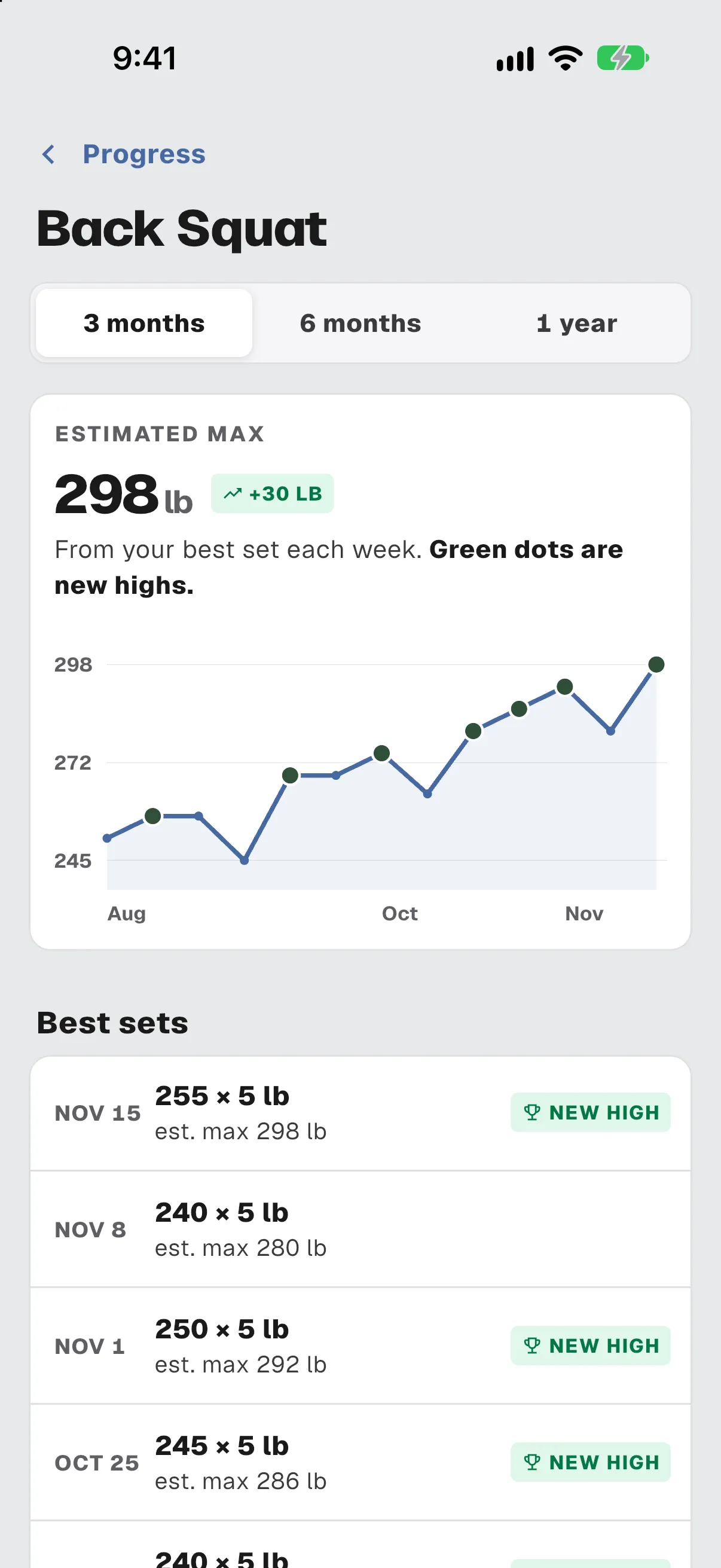
  • Estimated max over 3, 6 or 12 months
  • Sleep, steps and heart rate next to your training
  • Workout details say what a workout meant: new personal bests, how you slept the night before, each lift against last time
Progress this week: a new personal best of 255 lb for 5 on the back squat, two new bests, and 14 weeks trained in a row.Back squat progress: estimated max of 298 lb over three months, with a rising trend line and best sets.

Anytime Plans.

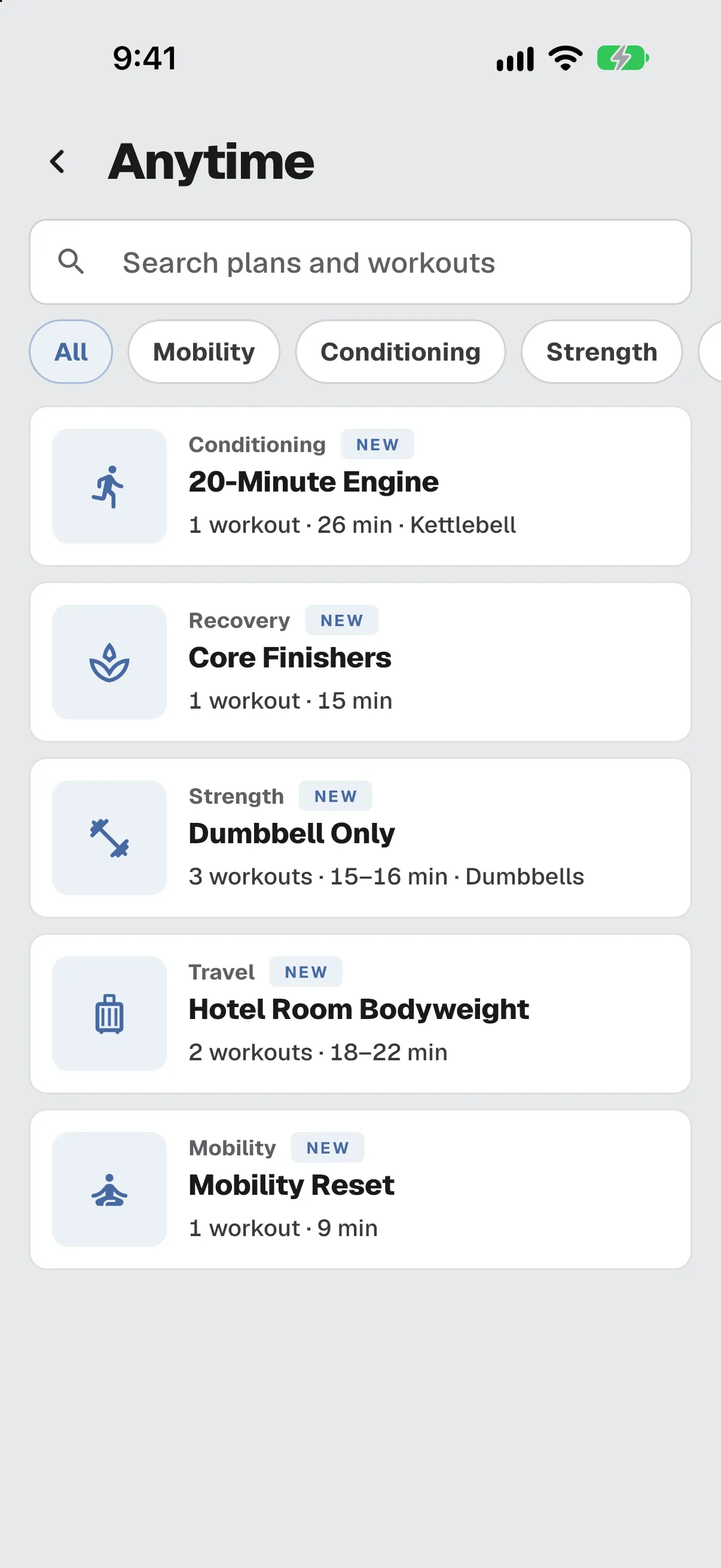
Workout plans you do whenever you like. Open them from the Anytime button on Home.

  • Browse and search the plans
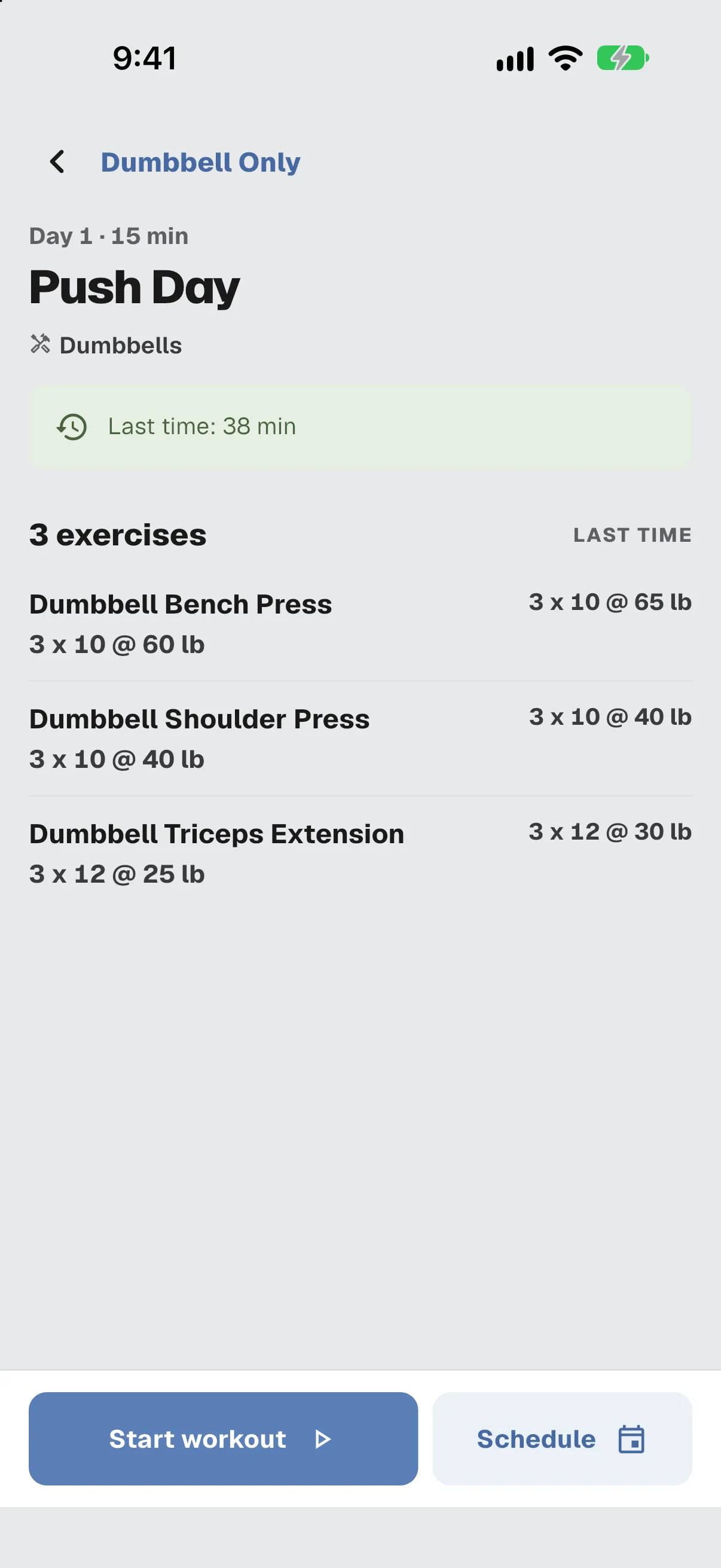
  • Preview a workout with your numbers from last time
  • Start one right away, or schedule it once or every week

For coaches Your gym chooses which plans to offer. Clients get a notification when they’re given a new one.

Anytime: a searchable list of five plans, including 20-Minute Engine, Core Finishers and Dumbbell Only.Push Day preview: three exercises, each with the prescription and last time’s numbers, and Start workout and Schedule buttons.

Habits.

Small daily habits you check off from Home. You can ask your coach to start a habit, level one up, or make one easier.

For coaches You assign the habits, and each request comes to you to decide.

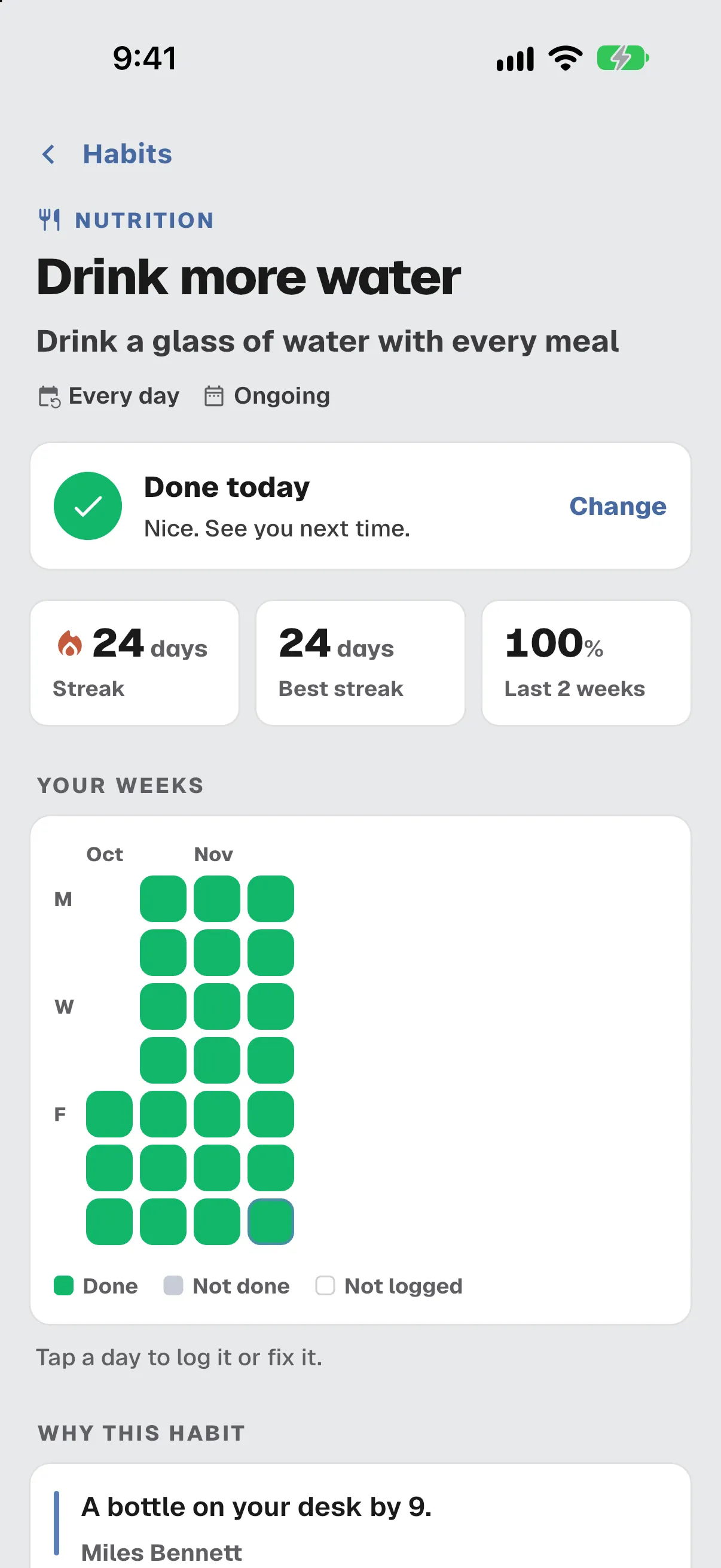
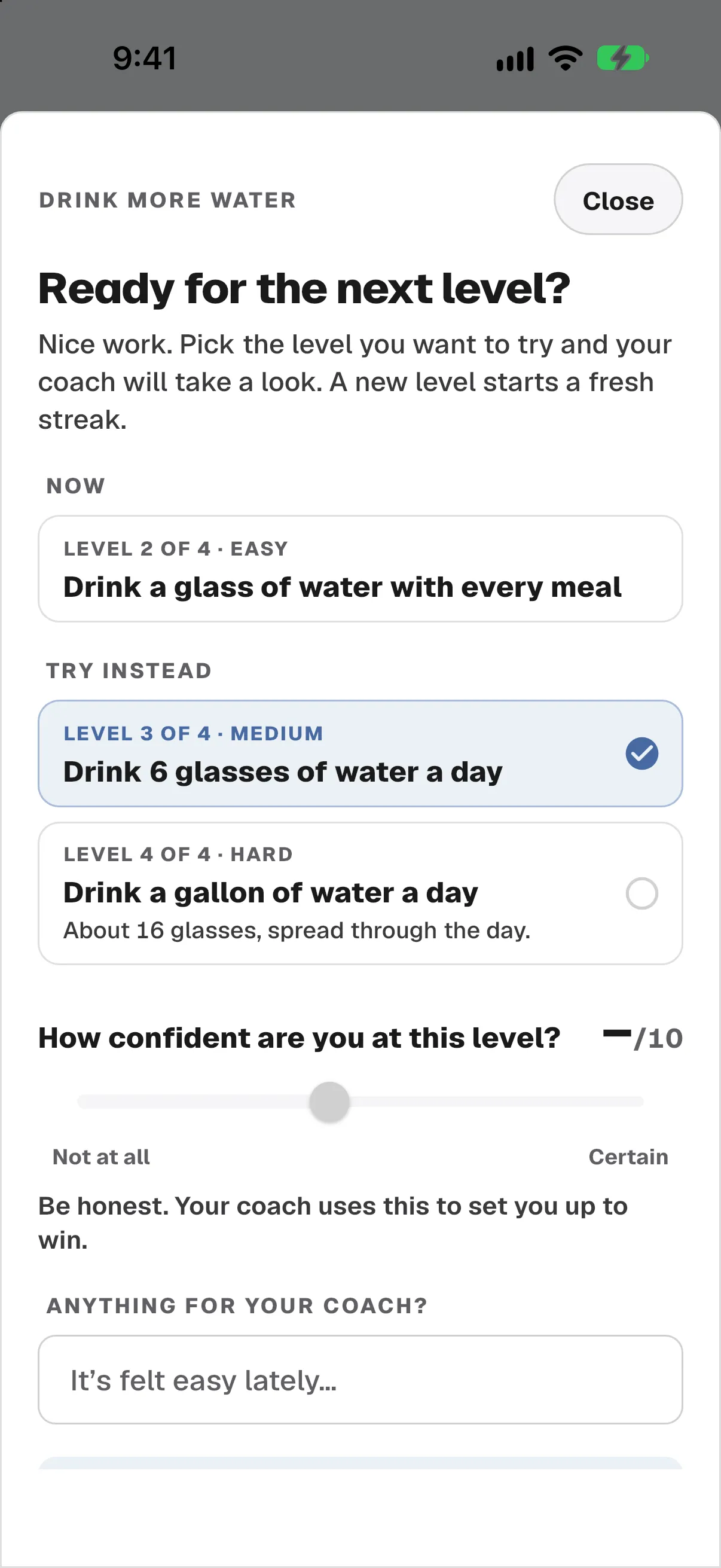
Habit detail for Drink more water: done today, a 24-day streak, and the coach’s reason for the habit.Ready for the next level? A client picks a harder version of a habit and rates how confident they are.

Health & Devices Beta

These features are new and still being refined. You may run into missing data or sync delays. If something doesn’t look right, let your coach or gym know.

Apple Watch
A new app
iPhone
Apple Health
Android
Health Connect
Linked accounts
Garmin, WHOOP, Oura

Heart rate, set by set. Beta

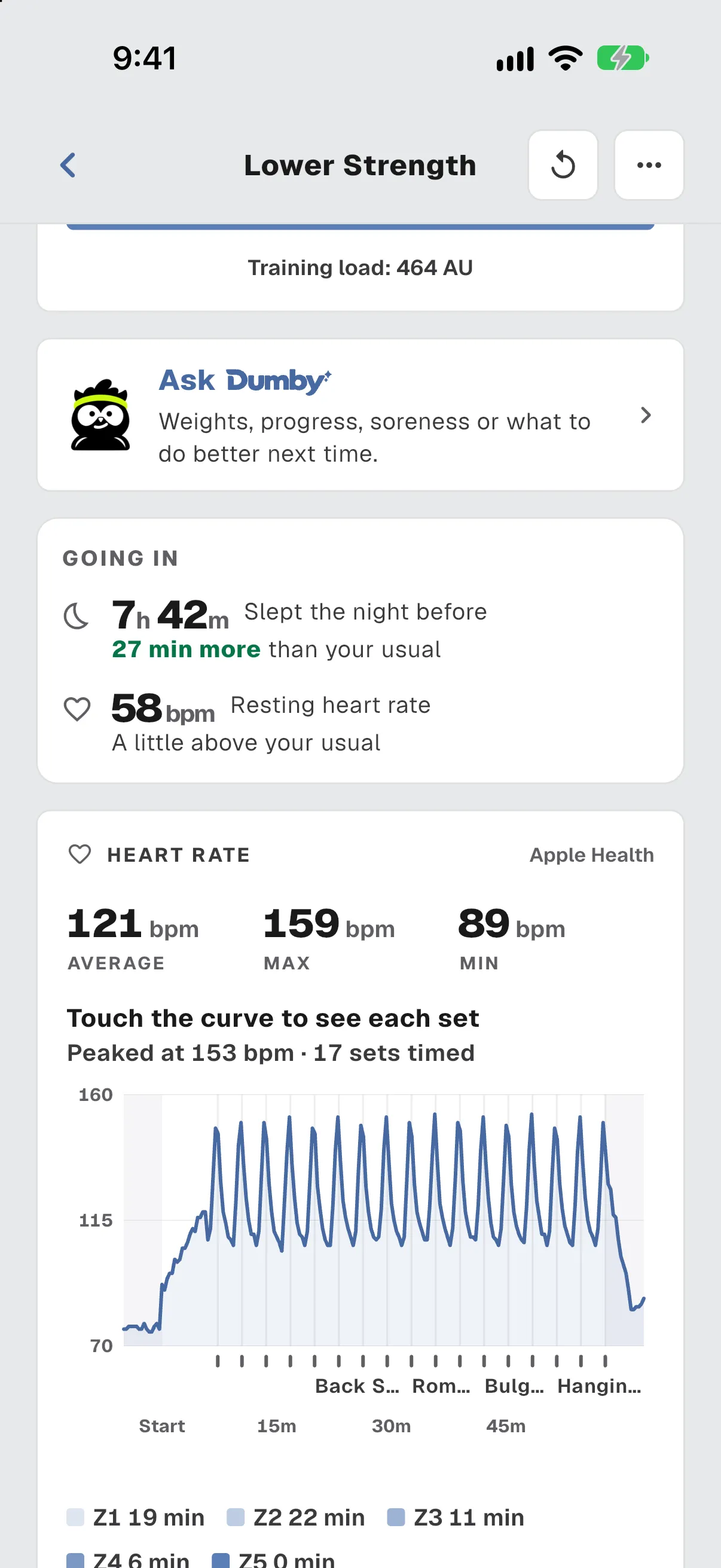
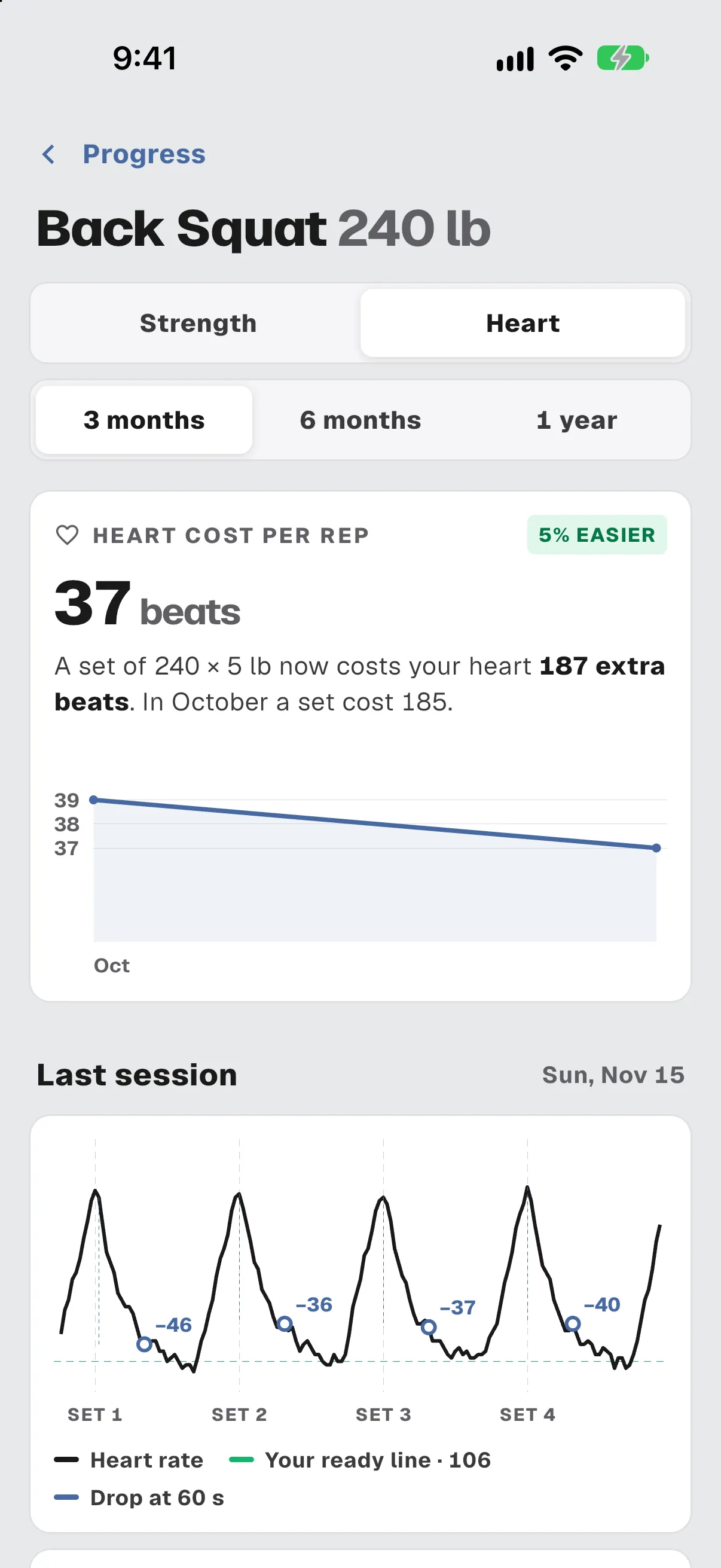
Workout details show a heart rate chart lined up with each set. Each lift has a Heart view: how fast your heart rate recovers after a set, and how much effort each rep costs.

Workout details: heart rate averaging 121 bpm with a curve marked at each of 17 sets.Back squat Heart view: heart cost per rep of 37 beats, 5% easier than before, with the last session’s curve.

Your watch, ring or band. Beta

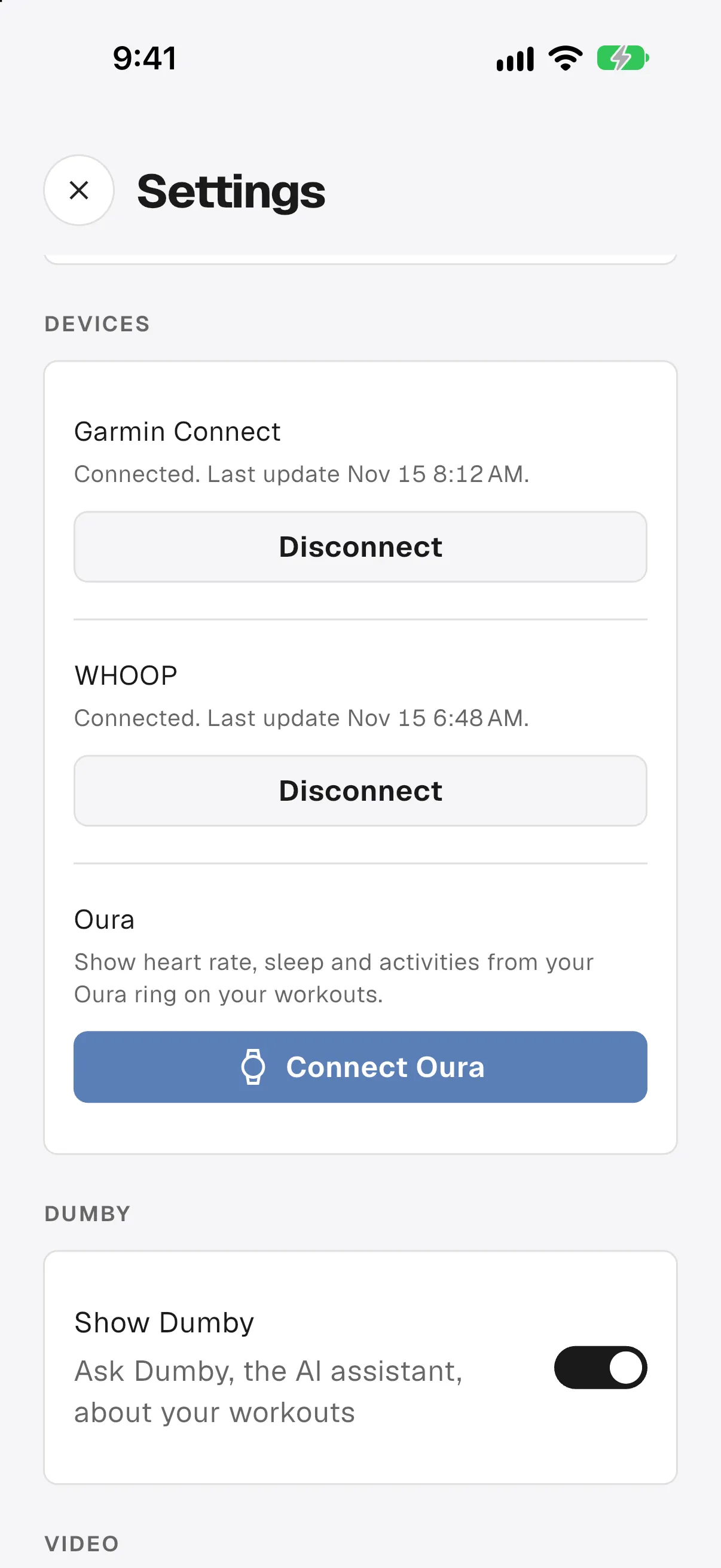
Link your Garmin, WHOOP or Oura account from Settings, then Devices. Apple Health now syncs heart rate, resting heart rate, HRV, sleep, steps and workouts, and Android gets the same through Health Connect.

  • A new Apple Watch app: see your current exercise and log sets from your wrist
  • A “morning after” card on Home: ready, or still recovering
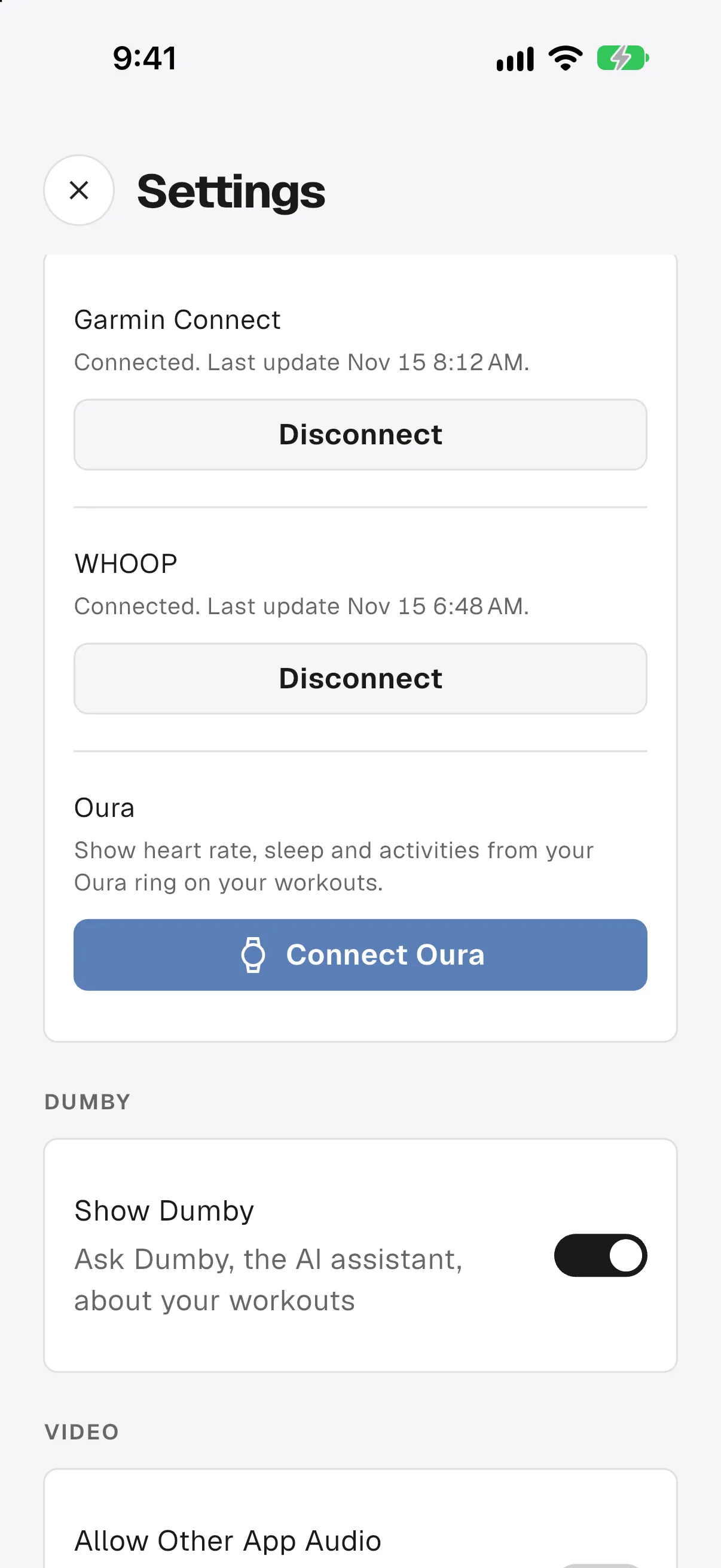
Settings, Devices: Garmin Connect and WHOOP connected, and Oura ready to connect.

With your coach.

Chat does more.

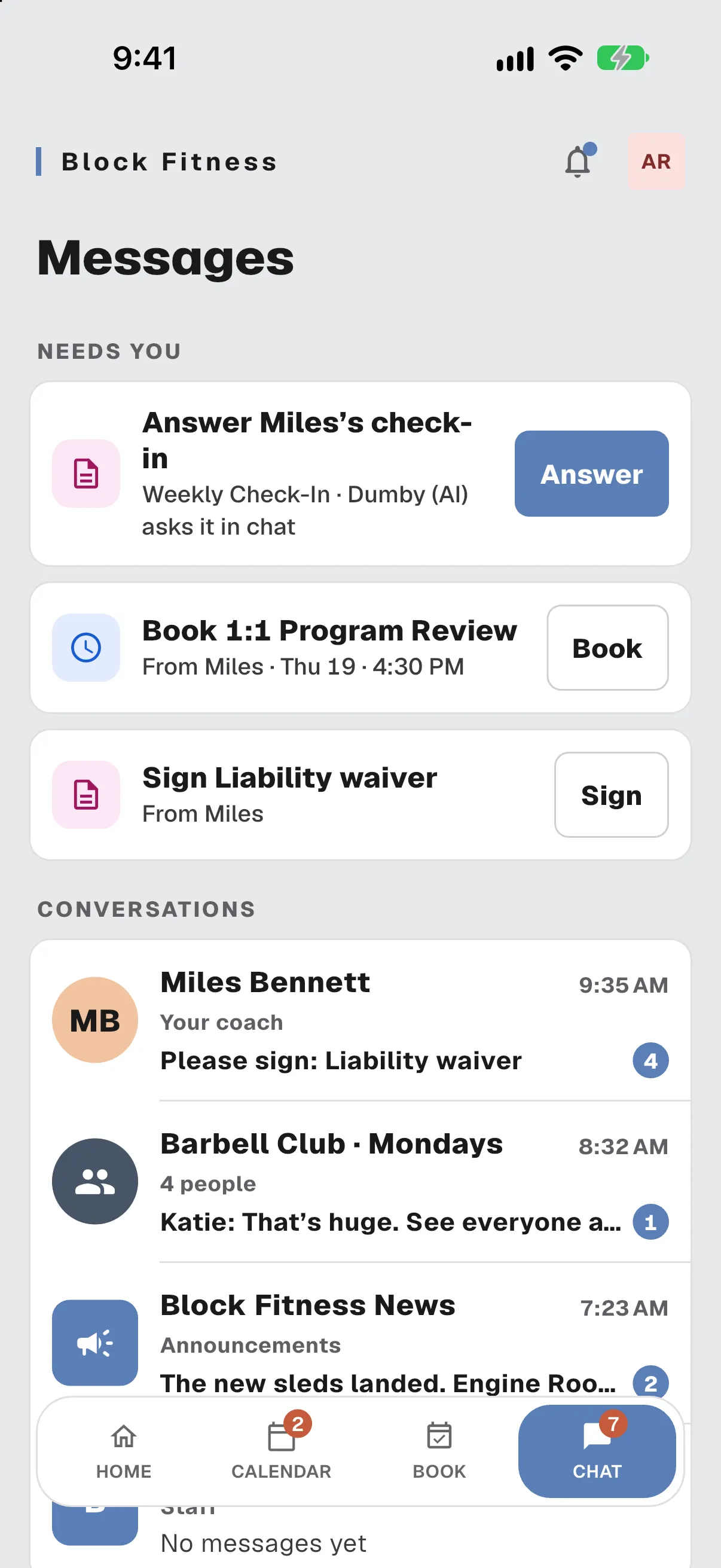
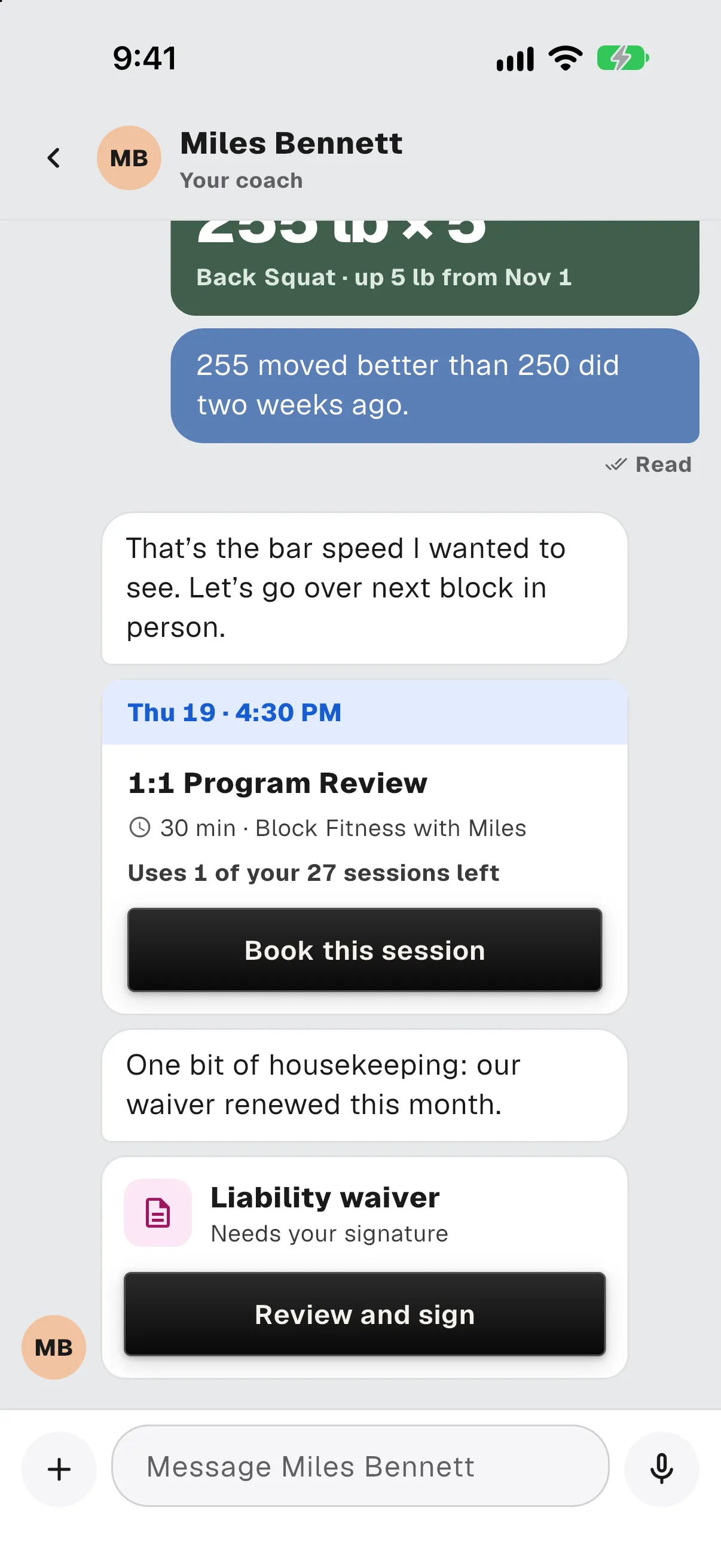
Sign a form, book a 1:1 session, share a PR or update your card, all inside a conversation. A “Needs you” section keeps what’s waiting on you pinned to the top.

  • Announcements from your gym, group chats, and class posts you can book from
  • Replies, online status, photos and voice notes
  • Parents and guardians can read their minor’s chats
Messages: a Needs you section with a check-in to answer, a 1:1 to book and a waiver to sign, above the conversations.A coach thread with a card to book a 1:1 program review and a card to review and sign a liability waiver.

Booking, with fewer dead ends.

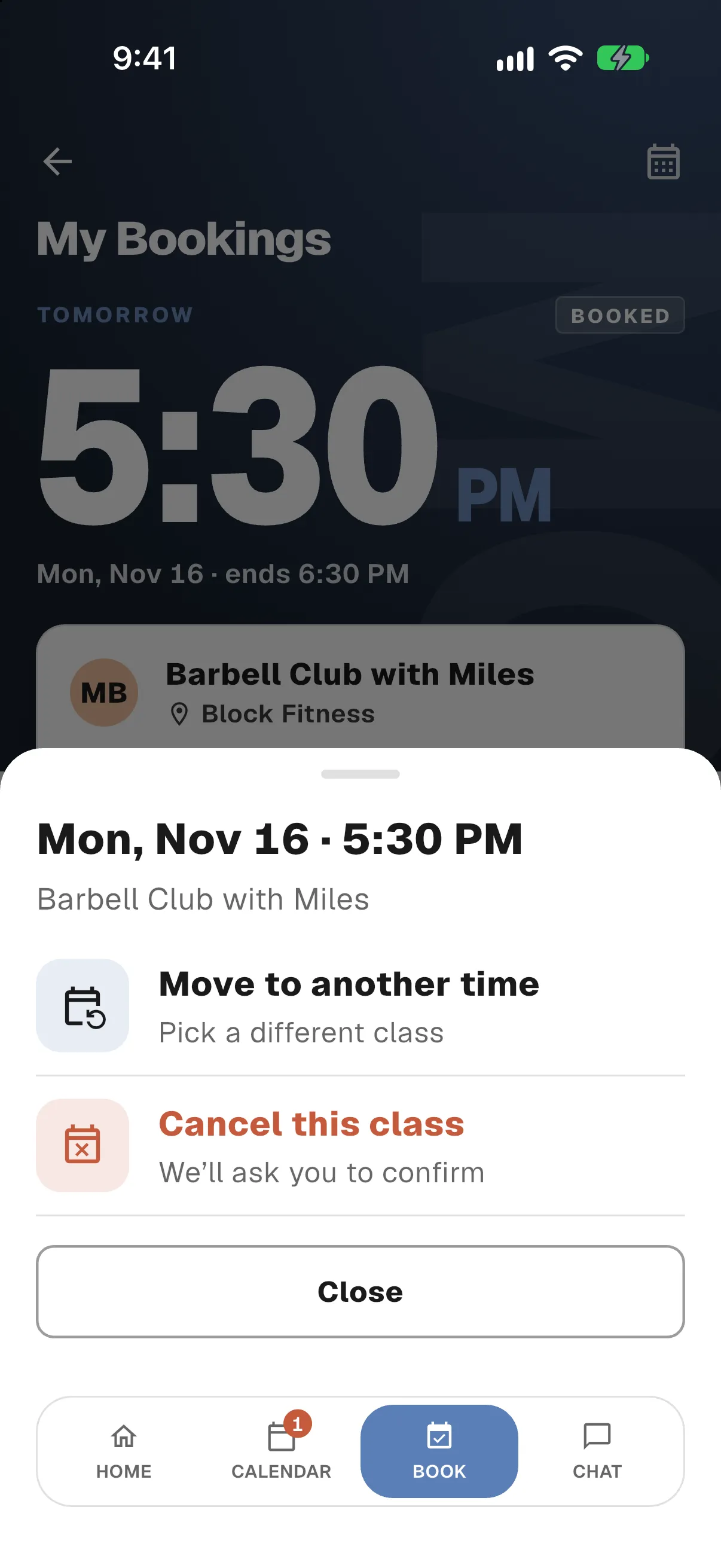
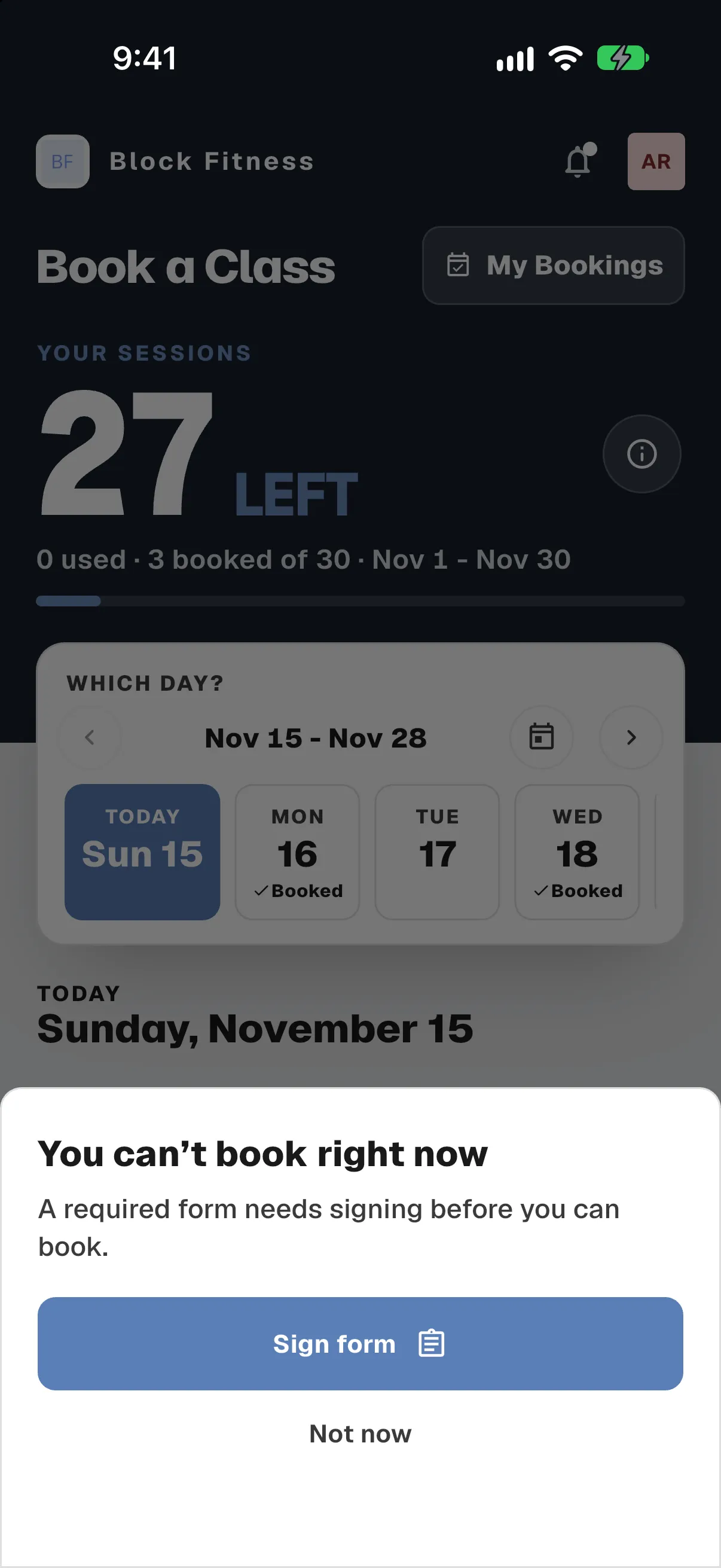
Reschedule a booking right from the Book tab. If you can’t book a class, the app tells you why. If your access is paused, it tells you why and gives you a button to fix it.

  • Book, My Bookings and Calendar have the new look
  • Priority sessions are marked next to Bonus sessions
  • On iPhone, ask Siri about your classes and book them by voice

For coaches Gym owners can choose their own check-in questions, and readiness shows on booking cards.

A booked class with two choices: Move to another time, or Cancel this class.You can’t book right now: a required form needs signing, with a Sign form button.

A new share studio.

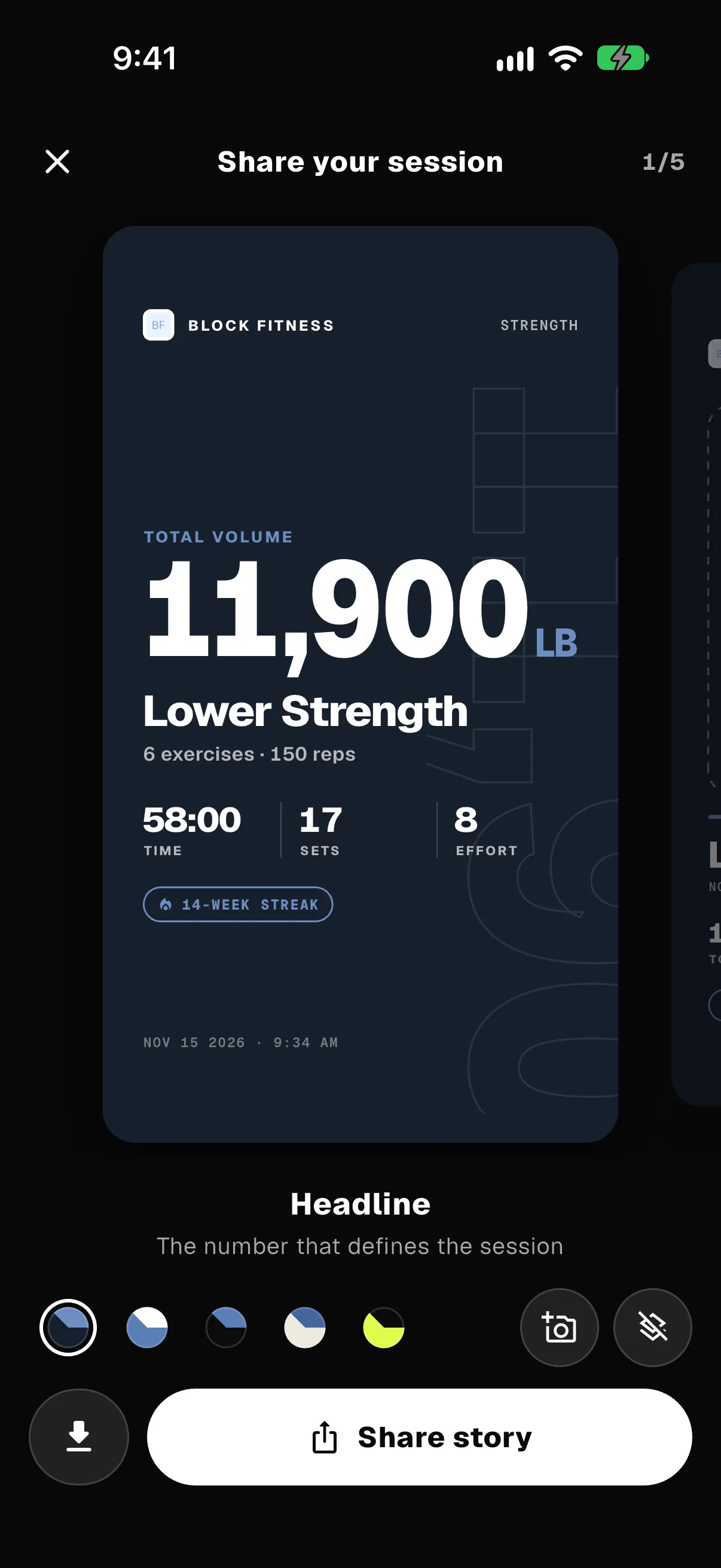
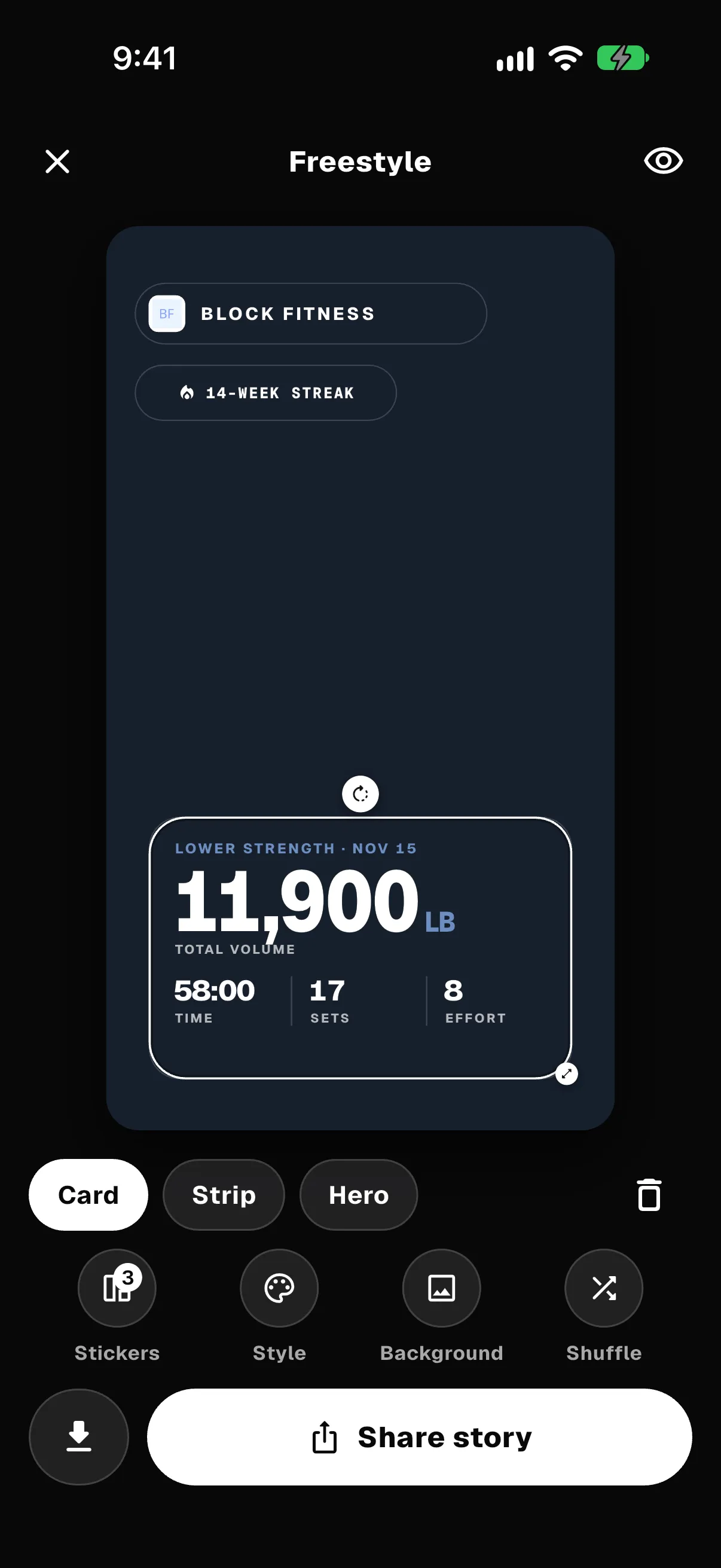
Sharing a workout has been redesigned, with story cards, a photo card and a freestyle editor. Stickers stay on shared videos.

For coaches You’re told when a client shares a workout.

Share your session: a story card with 11,900 lb total volume for Lower Strength.The freestyle editor: gym, streak and stats stickers placed on a story.

Form checks.

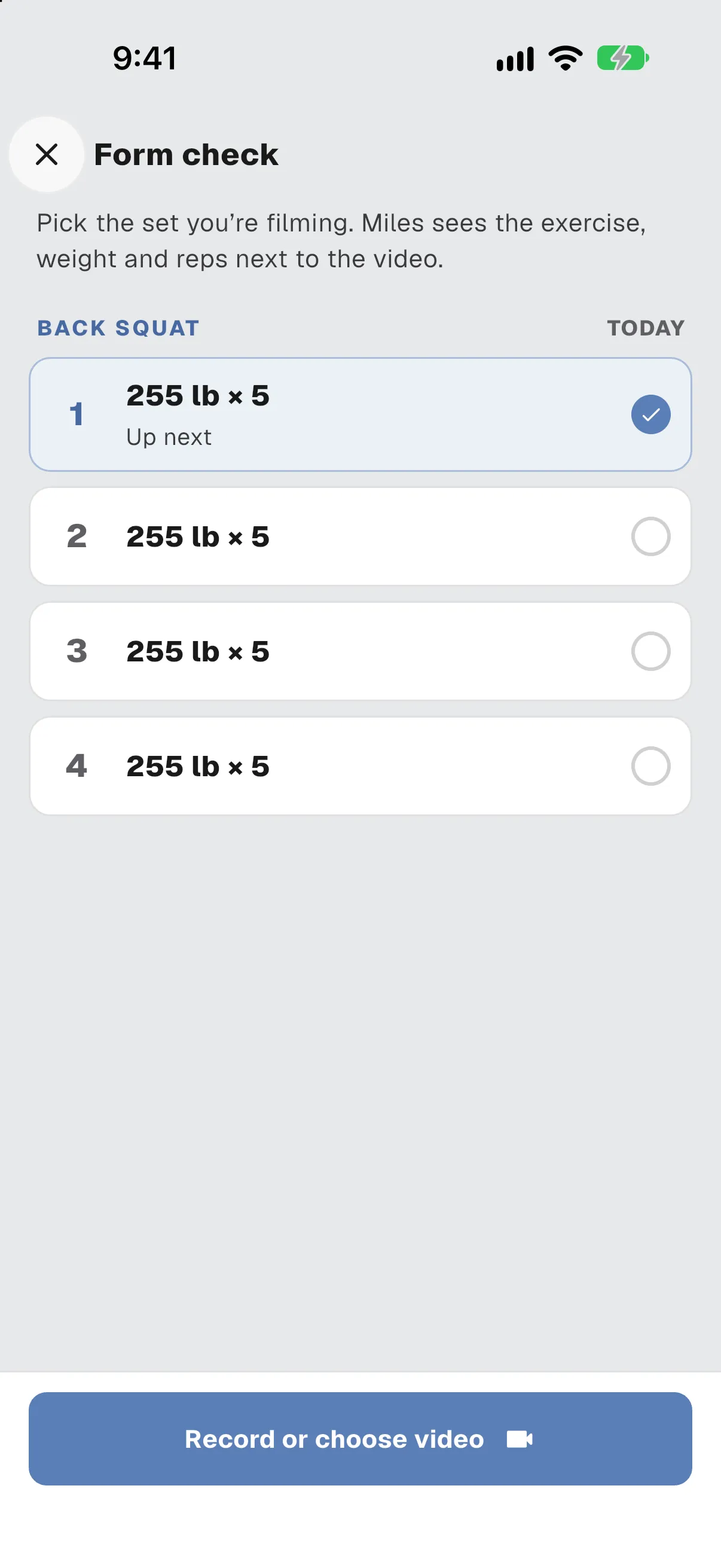
From workout mode, film a set on a 5 or 10 second timer and send it to your coach for review.

Form check: pick which back squat set to film, then record or choose a video.

Workout mode.

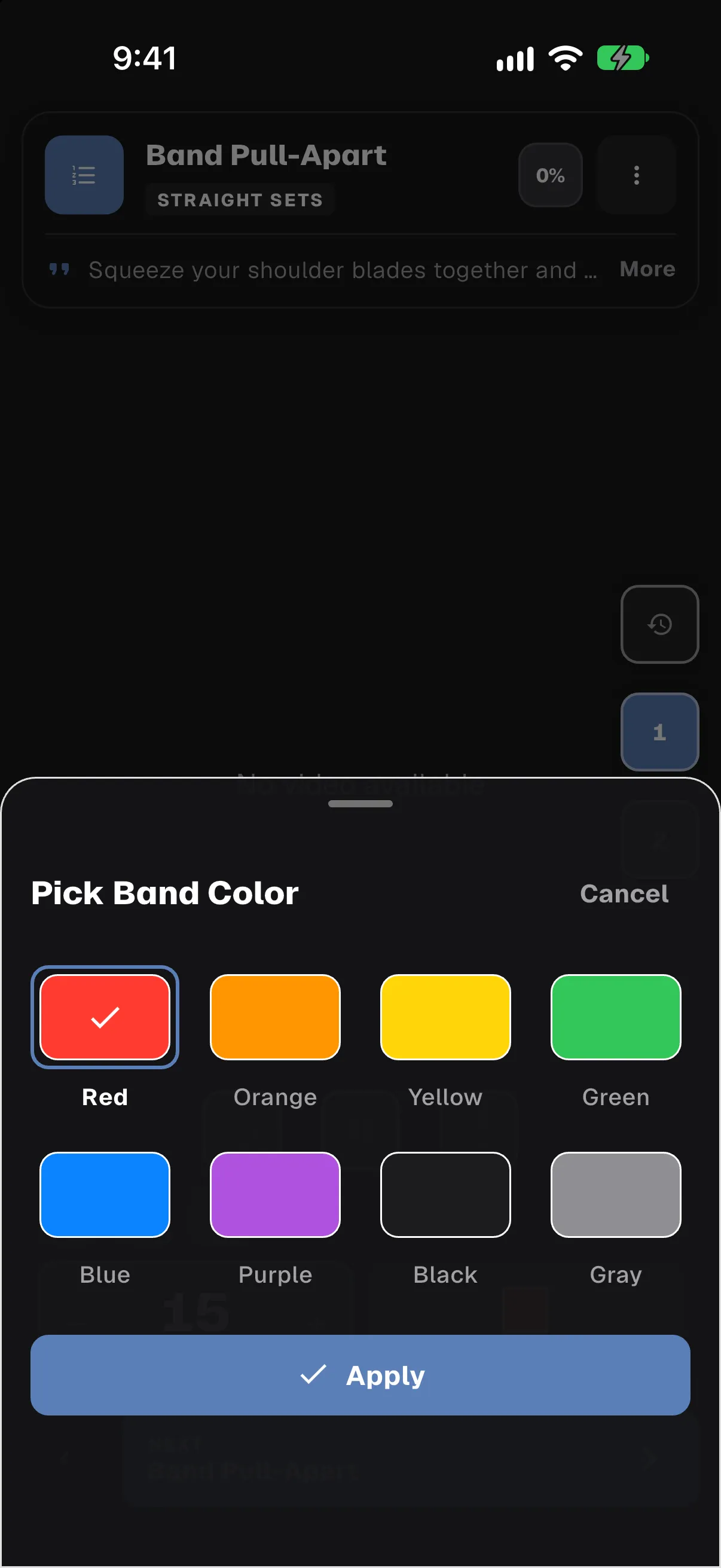
Your own exercise note now shows under your coach’s note, and sets can carry a resistance band colour.

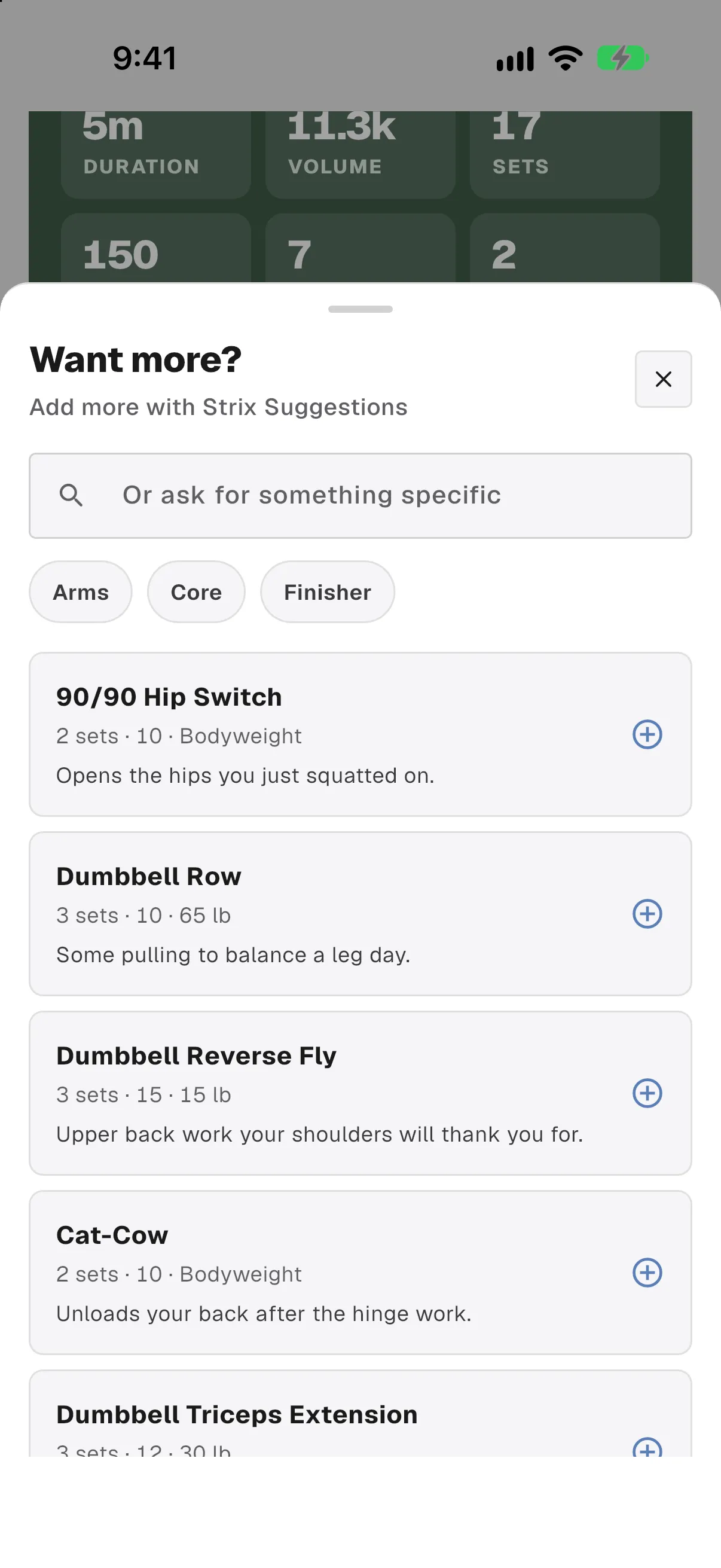
  • “Want more?” add-ons are much faster and work on finished workouts
  • Video controls match the rest of workout mode

For coaches Add a note to a whole block and set a band colour for each set. “Change all future workouts” swaps now reach the client’s plan.

Pick Band Color: eight resistance band colours, with red selected.Want more? Suggested add-ons after a finished workout, each with a reason.

Dumby is in the app.

Dumby is your gym’s assistant, and he’s now in the app. He asks your coach’s check-in questions and talks through a finished workout. He never rewrites a program, and nothing reaches a coach until the client sends it.

Meet Dumby

Shows up
Only if your gym offers him
Turn him off
Show Dumby, in Settings
Required
No

Check-ins, in chat. Rolling out

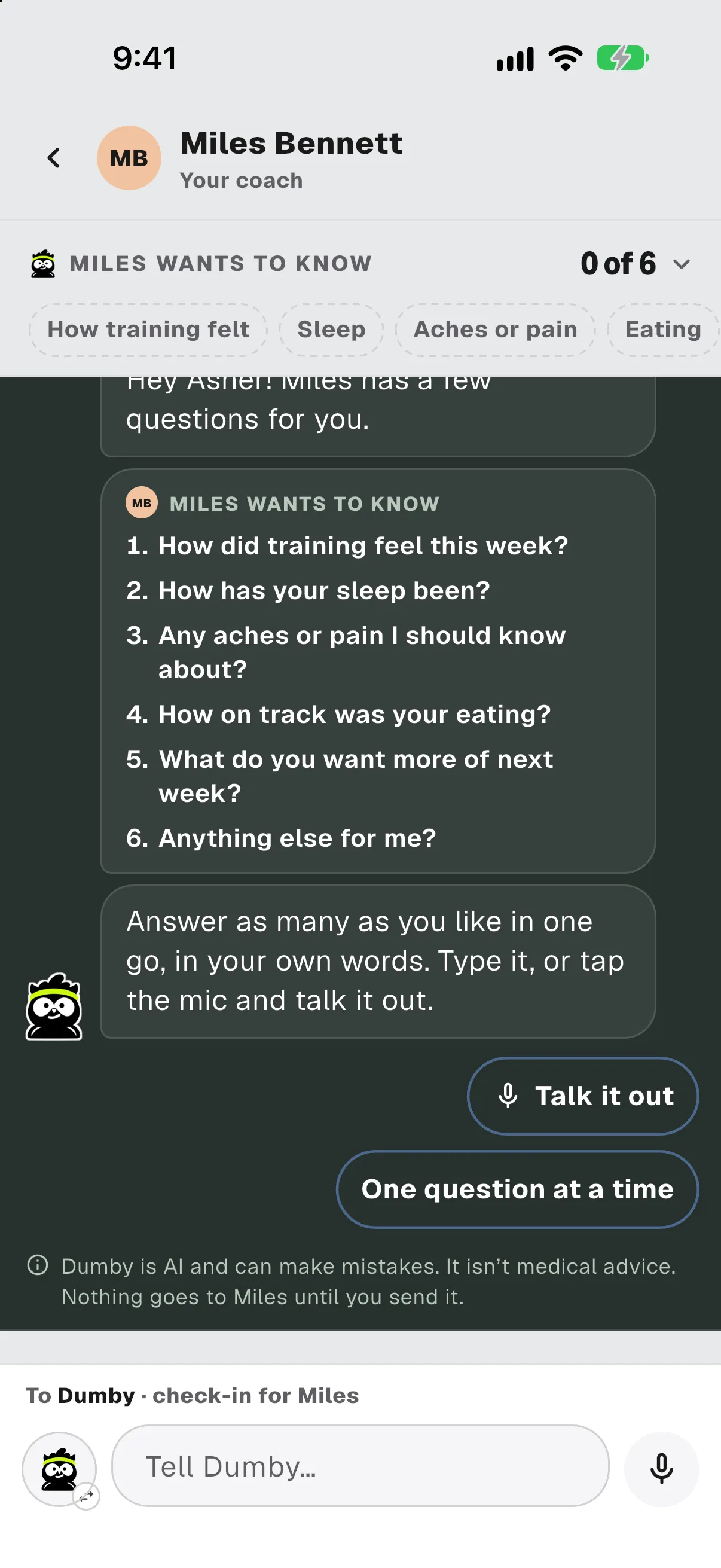
When your coach sends a check-in, you don’t fill out a form. You talk it through with Dumby in your coach chat, typing or by voice note. He asks your coach’s questions exactly as they wrote them, and only follows up when something’s missing.

  • Nothing reaches your coach until you send the finished check-in
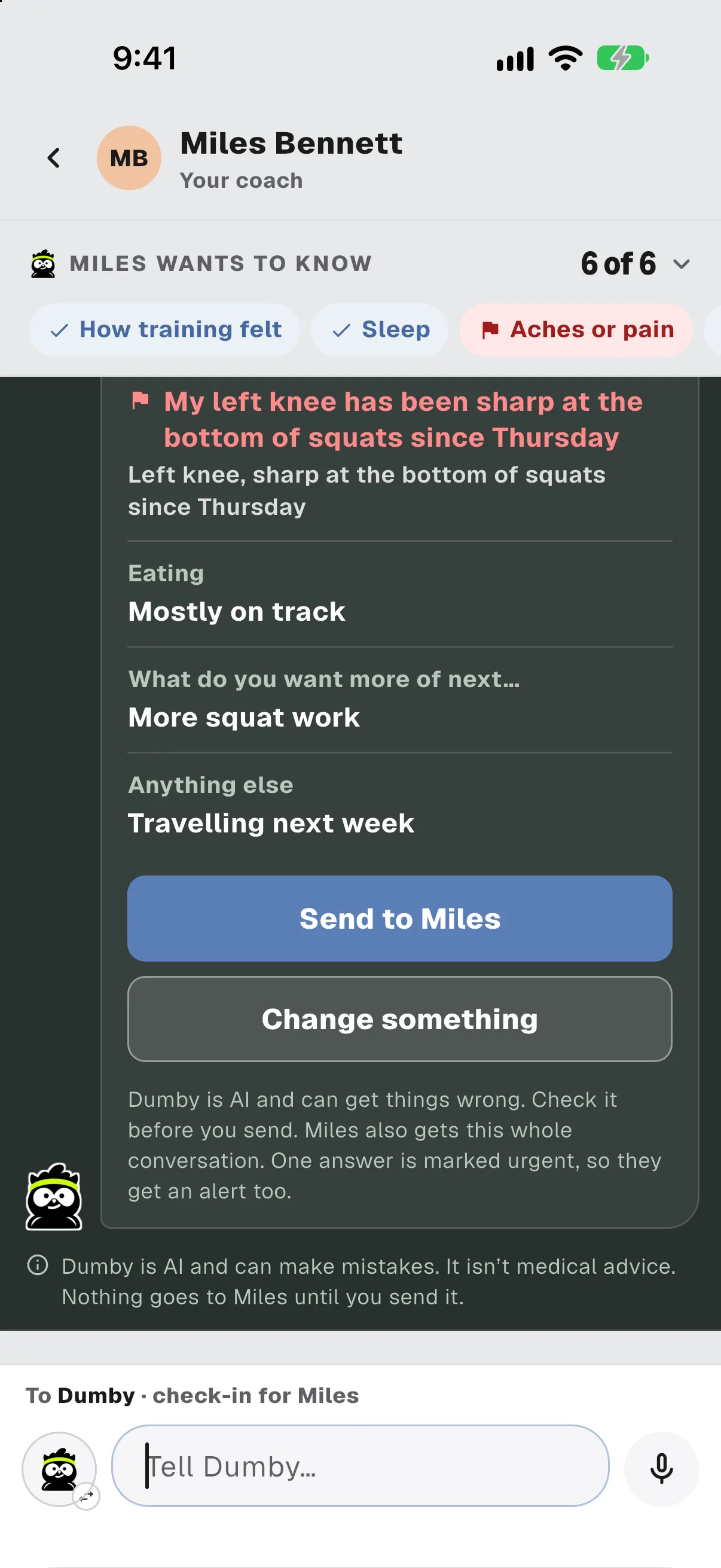
  • If you mention pain, he offers to send it to your coach right away
  • Prefer the regular form? There’s a link at the bottom of the check-in

For coaches You get a summary along with the whole conversation, and an alert when an answer is flagged.
A coach thread where Dumby lists the coach’s six check-in questions and offers Talk it out or One question at a time.The finished check-in, listed for the coach, with Send to Miles and Change something buttons.

Ask Dumby about your workout.

After a workout, tap Ask Dumby under the summary. Ask about your weights, sets and reps, how you’re progressing, or soreness the next day, and keep asking follow-ups.

For coaches He talks through what was logged. The program stays yours.

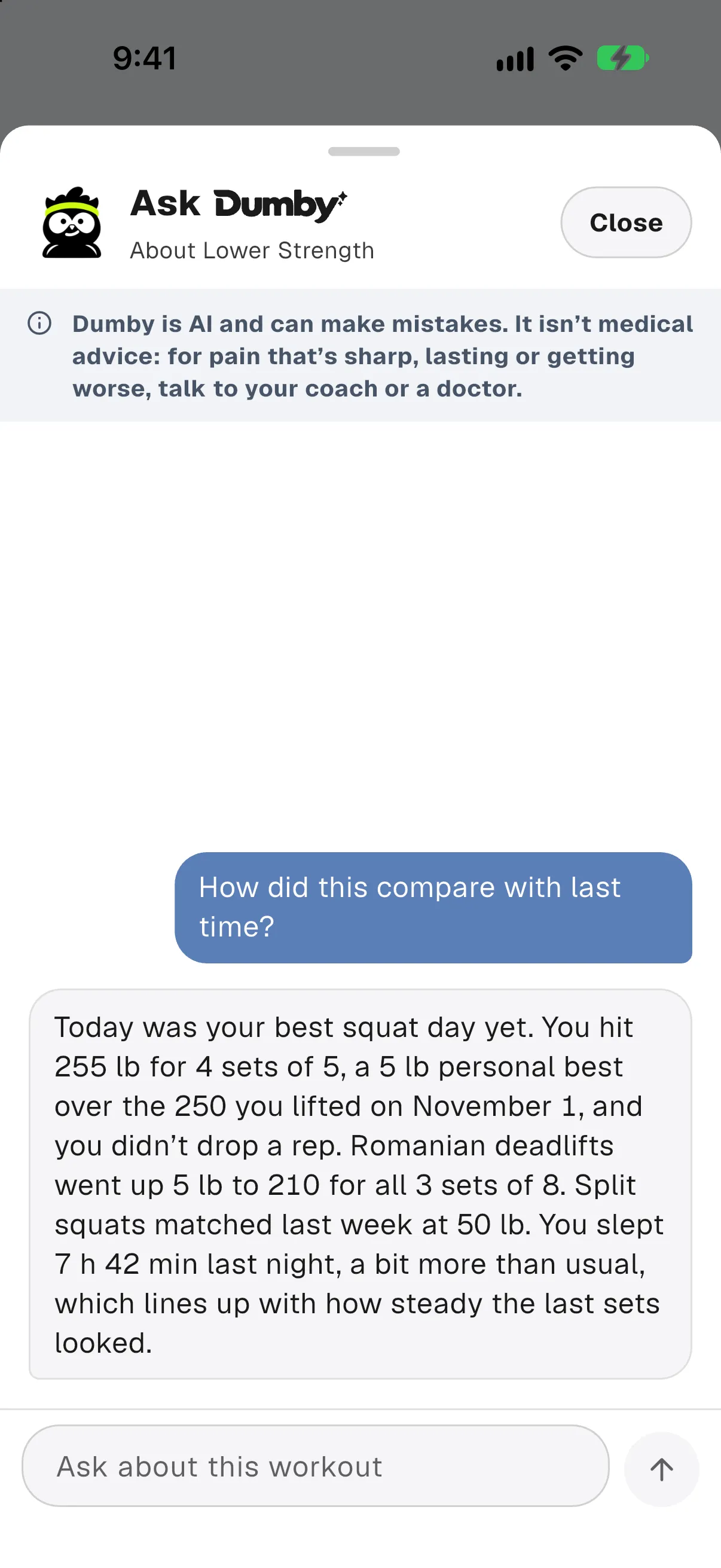
Ask Dumby: a client asks how the workout compared with last time, and Dumby answers from the sets they logged.

He’s optional.

Dumby only shows up if your gym offers him. If you’d rather not see him, turn off Show Dumby in Settings and he’s hidden everywhere in the app.

Settings: the Show Dumby switch, under Devices.

Fixed.

  • Resuming a superset picks up at the next set that isn’t logged, and a workout never finishes on its own while sets are left.
  • A workout left open after you logged every set is now saved as complete.
  • Sets upload sooner during a workout, and leaving workout mode works cleanly.
  • You can edit completed workouts again.
  • At large text sizes, the keyboard bar’s Done button and the class sheet’s Close button stay on screen.
  • Home cards with no workout attached no longer leave a blank space.
  • The class details sheet no longer crashes after the schedule refreshes.
  • You can download a copy of your training history.

Screens show a sample gym with sample data. Dumby’s replies in them were written for the demo.

It still depends on you. Just not every hour of you.